
NETVERSE · BUSINESS DASHBOARDS
Porthole
Manage All Things Business
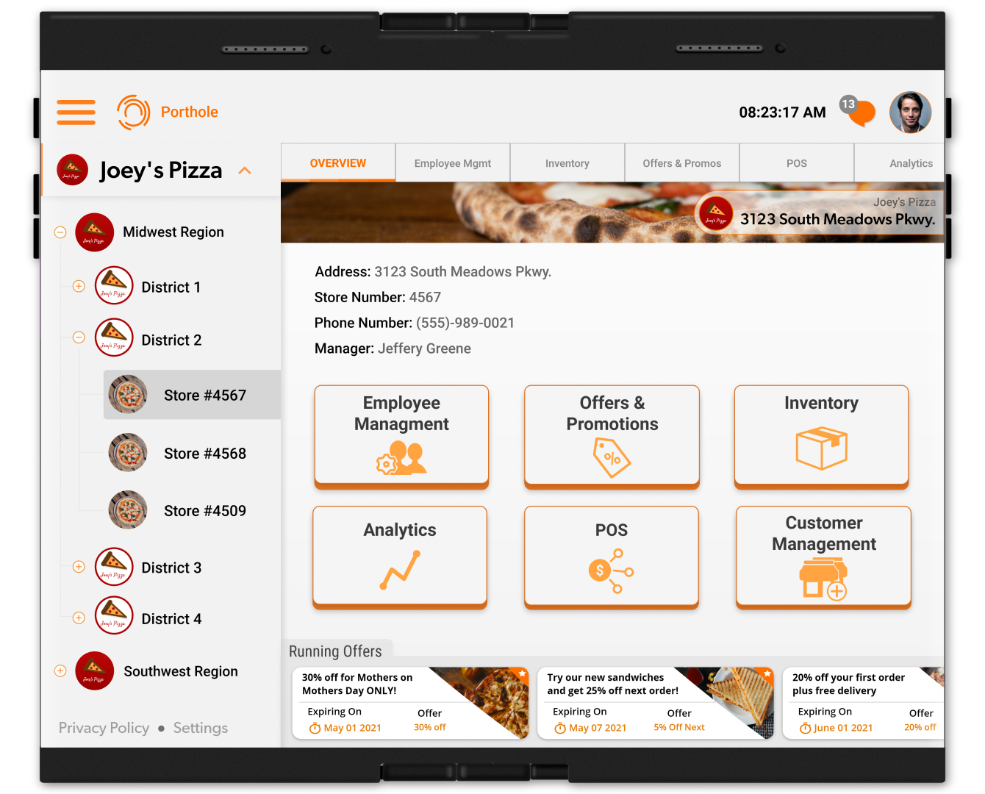
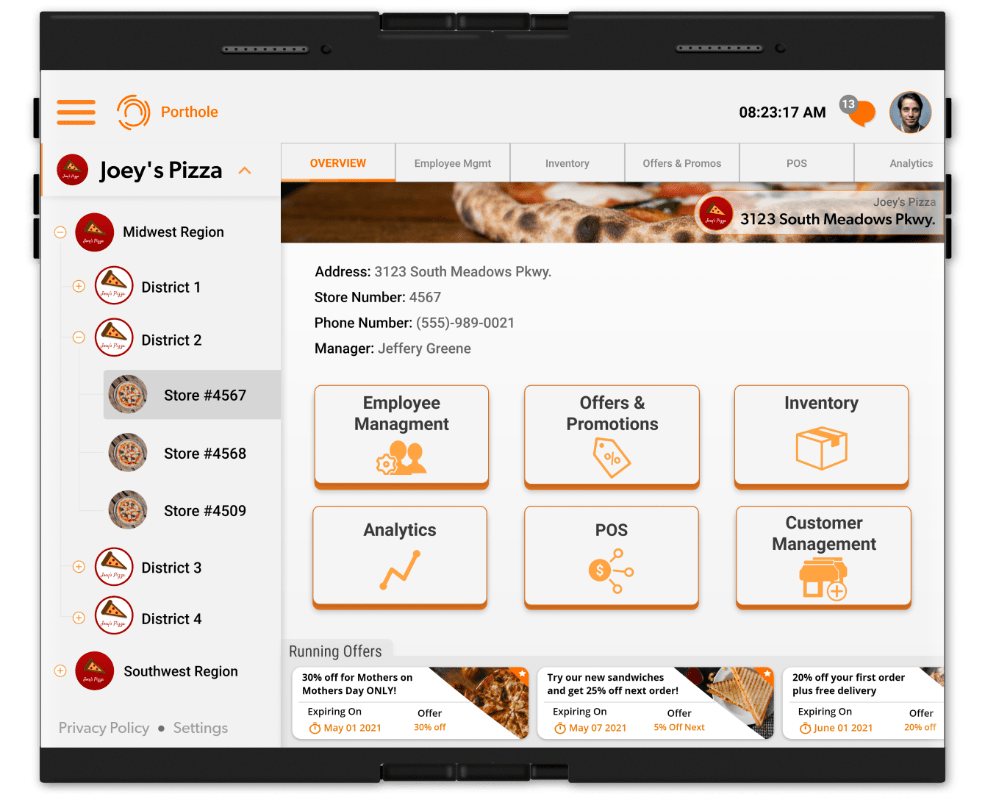
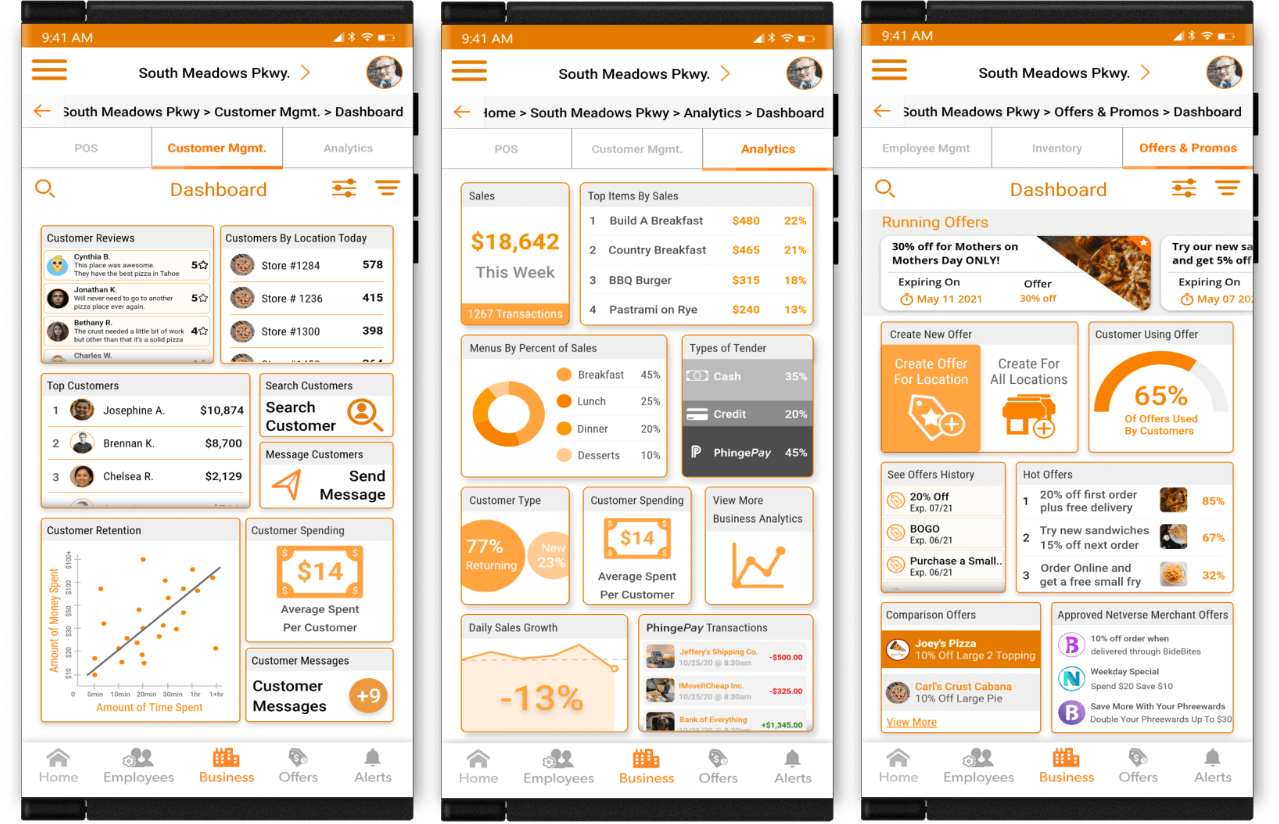
Manage your business from one convenient dashboard from any Netverse smartphone, tablet and POS system hardware. There will be many sub-dashboards available, including Customer Management, Employee Management, POS, Inventory, Offers, Analytics and much more.
Business Gateway
Manage All Things Business
Create
Create rich-media ads through for no cost through the offer and ad builder.
Sales
Increase your sales and revenue by accepting Netverse Rewards for all purchases. You receive payment in real funds
Success
Through Porthole and the platforms of Netverse, you will have unparalleled opportunities for success
Promote
Promote your business for no cost across the platforms of Netverse*
Platforms
Bidell
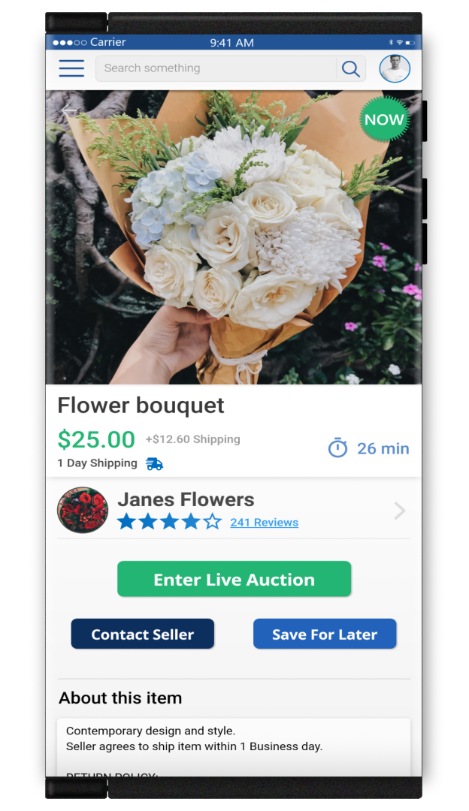
Real-time auction platform where buyers bid for your goods and services.
Phinge Pic
Video-centric platform where you can promote your good and services.
PhingeMaps
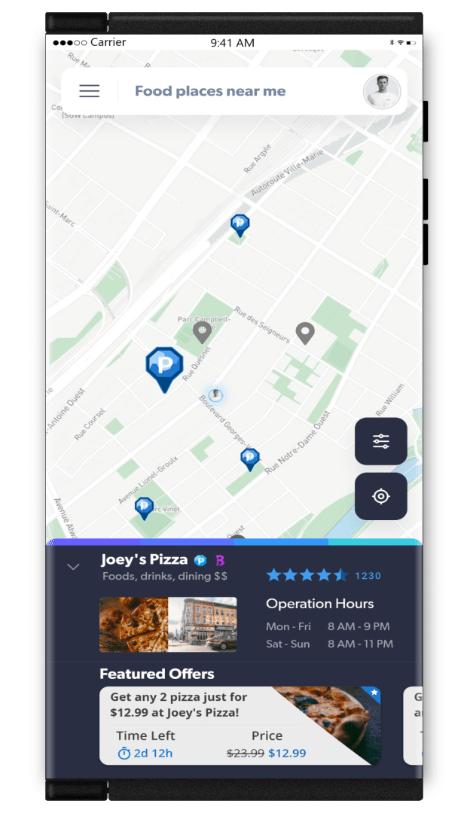
Promote your business to customers on the move or by location. Search results highlight rewards-based Netverse approved merchants.
Bide Bites
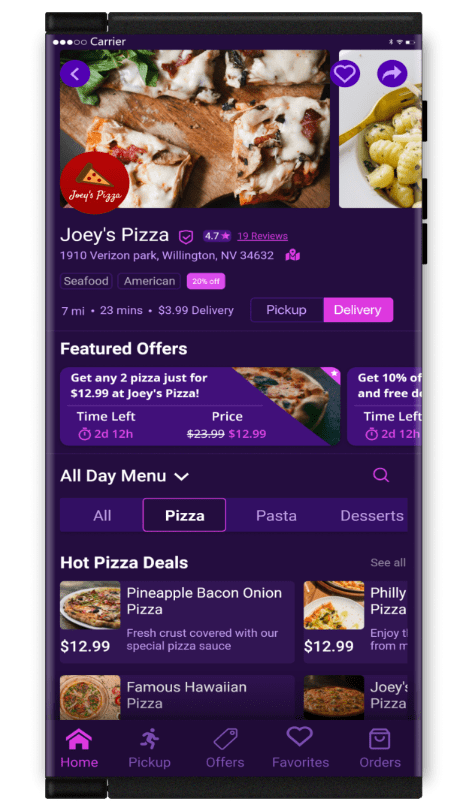
Innovative food delivery platform where restaurants and delivery drivers ratings make for better selection and customer experience.

Sales & Rewards
POS
Merchant Dashboard
Manage all facets of your business. Create offers and run them instantly or on a schedule.
View sales daypart data. Send instant messages to your employees.
Instantly change menus and pricing. Turn delivery options on or off at anytime.
POS Interface
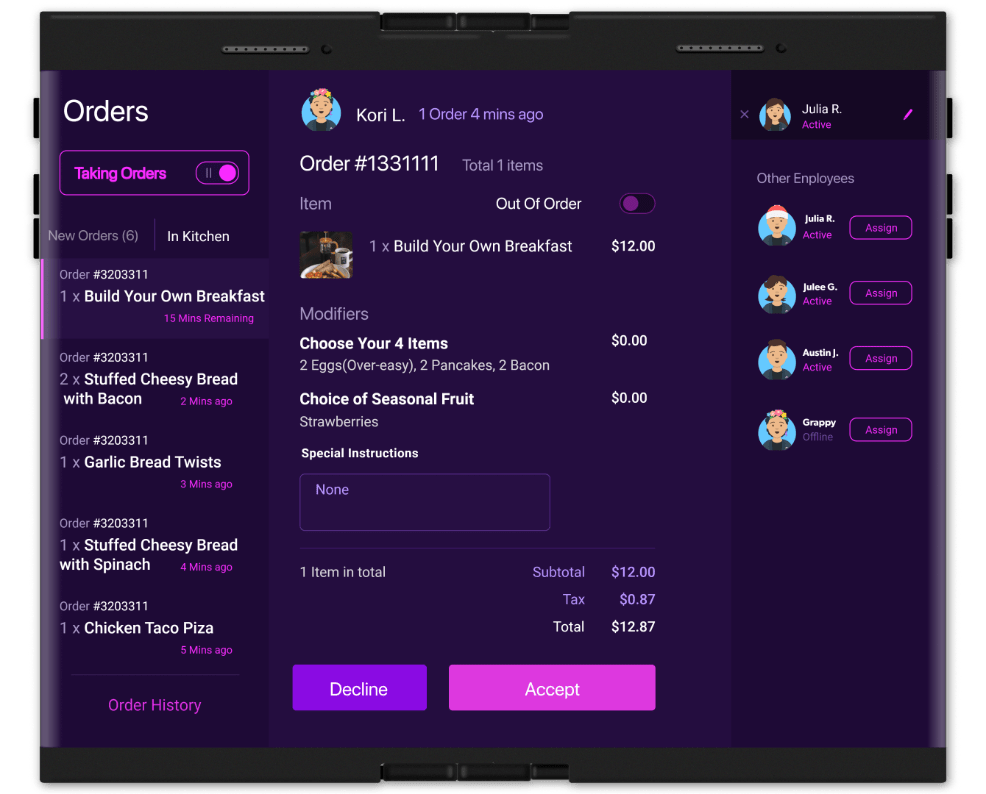
Manage all incoming orders in real-time. Add, delete or substitute items at anytime across all menus and online platforms. View inventory on hand in real-time. Turn delivery on or off based on orders in the queue.
Rewards
Earn & Reward
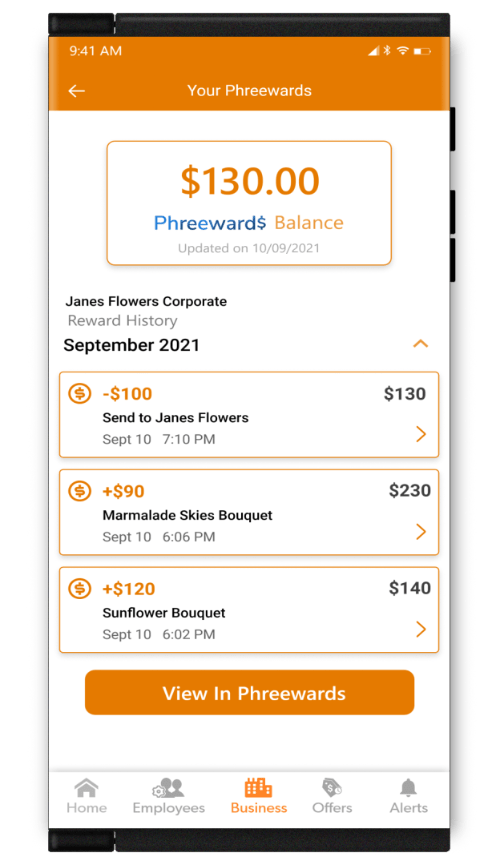
Earn and Redeem Netverse Rewards (rewards) through all Netverse approved merchants and businesses.
Benefits
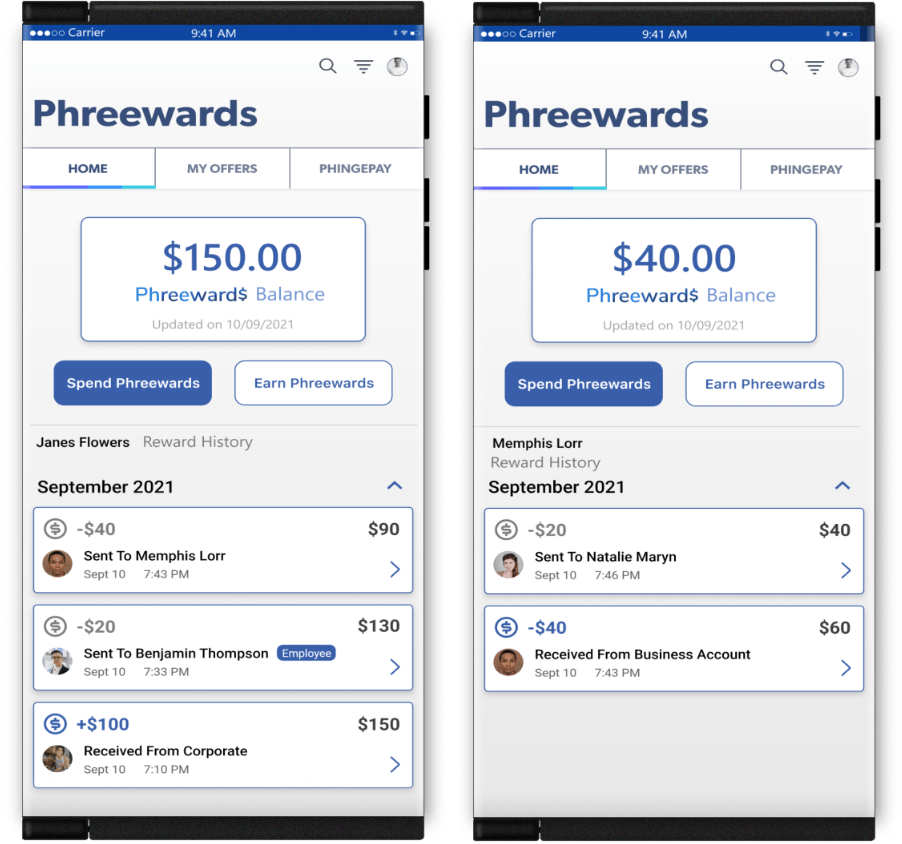
Offer your employees Netverse Rewards for things like great performance or to work some extra hours or shifts.
Manage
Manage all of your Netverse Rewards easily in one convenient dashboard.
Incentivize
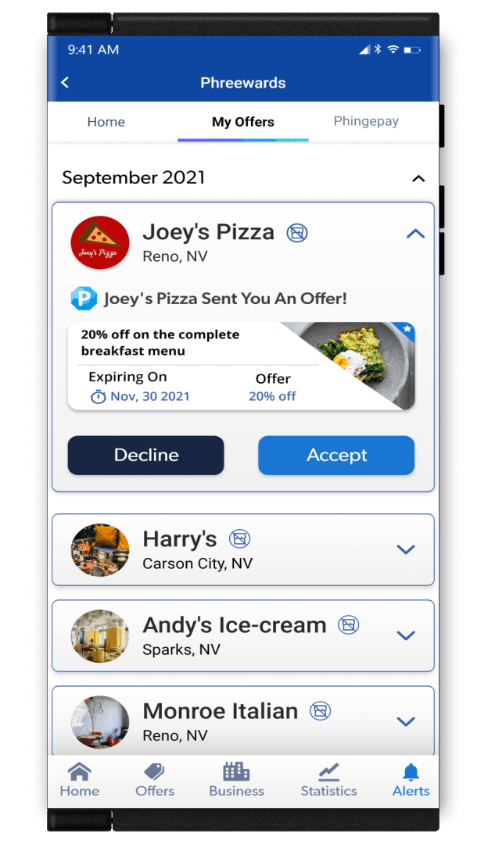
Incentivize potential and previous customers at anytime by offering extra Netverse Rewards for future purchases.
Real-Time Offers
Offer Builder & Management
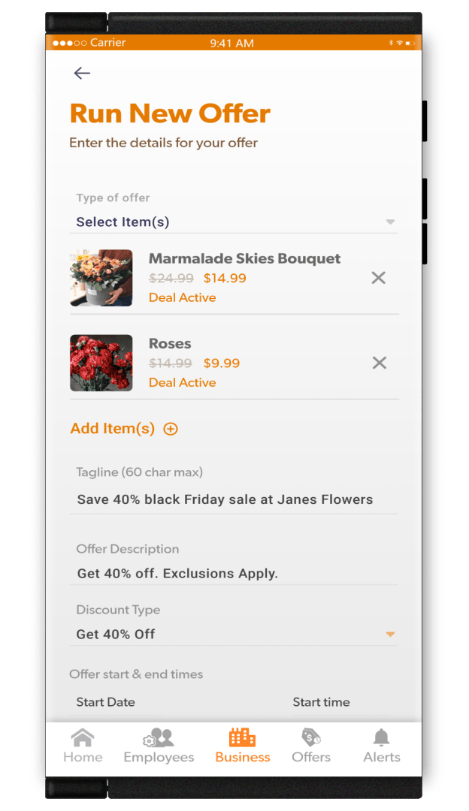
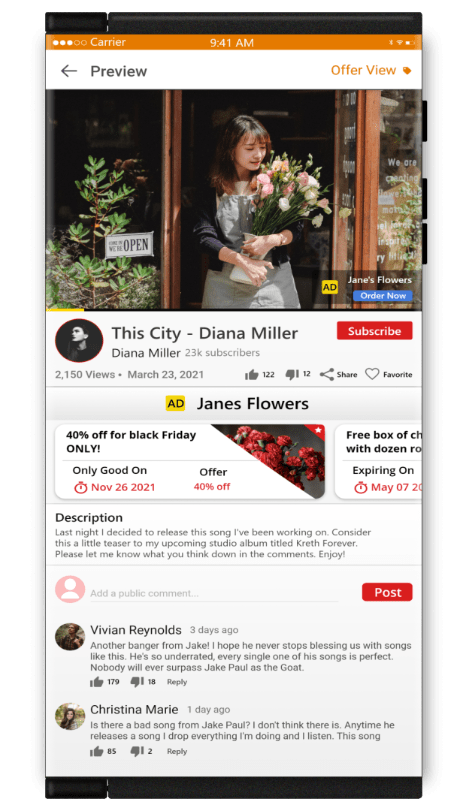
Create media-rich ads to promote your goods and services with our real-time offer builder tool for no cost. Add images, descriptions, specials and links to other platforms on Netverse for maximum exposure and sales.
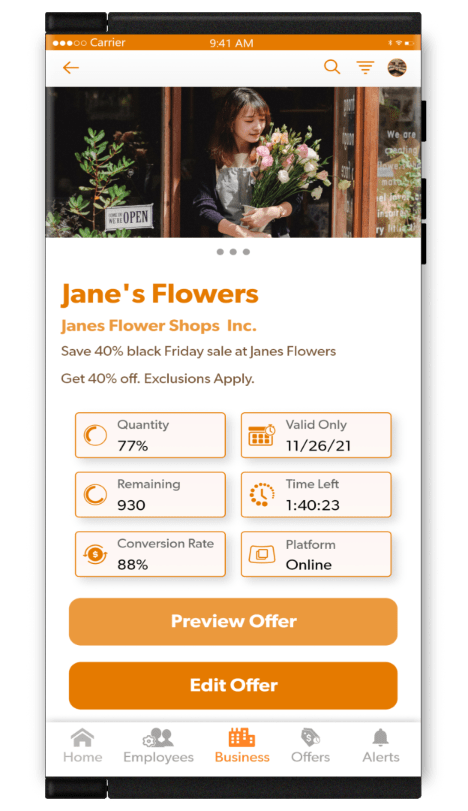
Run your created ads instantly. You may also schedule them in advance by day, date, time, menu availibility and more. Manage all running and scheduled ads from your Porthole dashboard.
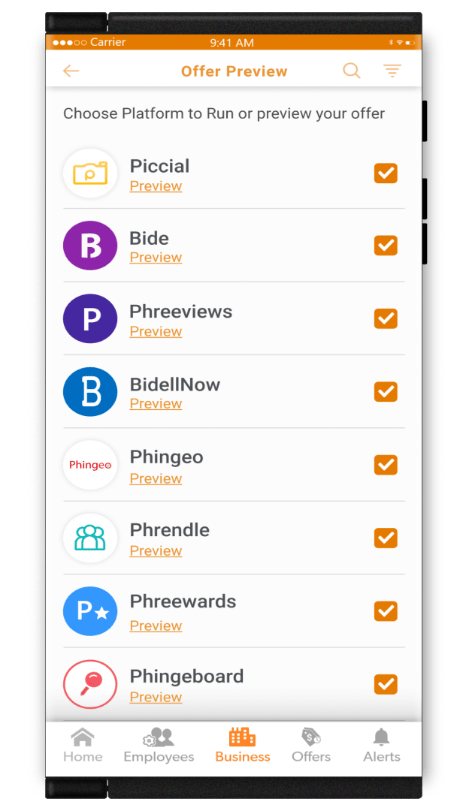
Easily promote your ads across any or all Netverse approved platforms instantly and at once. The more platforms you choose, the more visibility you will receive and more opportunities for sales and revenue.
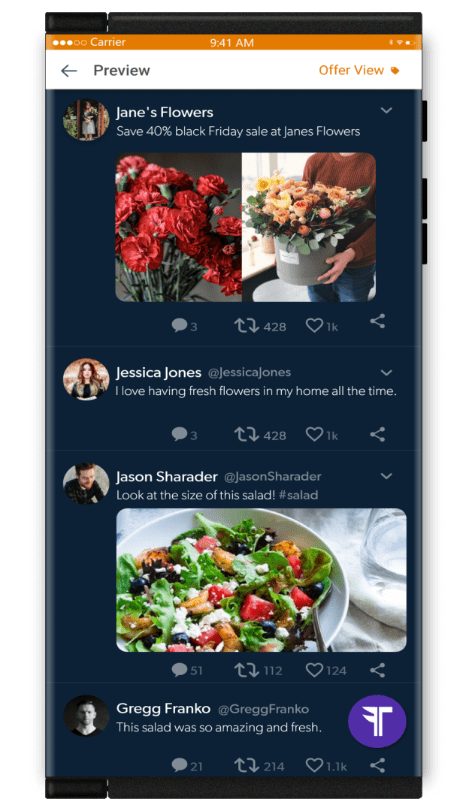
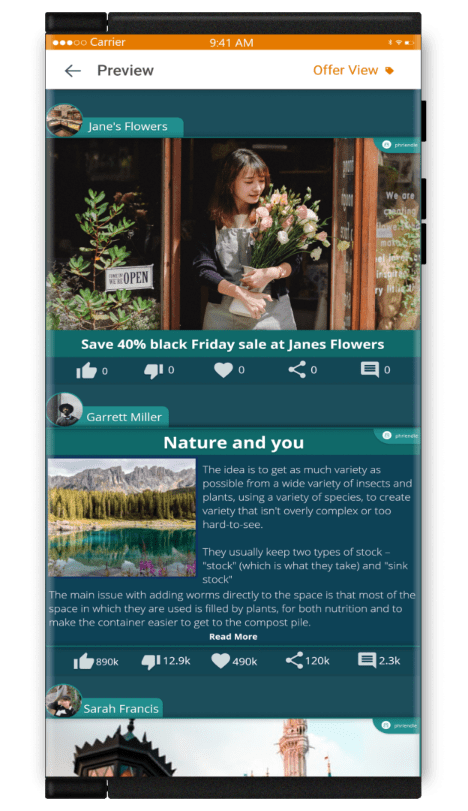
Preview your ads across all platforms. View how consumers will view your ads from each Netverse approved platform that you choose to run them on. You may edit them prior to running them live.
Back Office
Company Structure
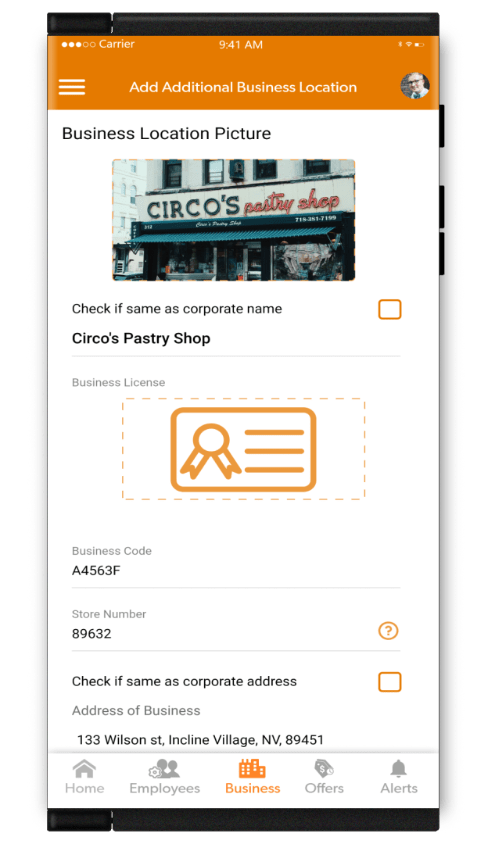
Create and Manage Multiple Regions and Locations
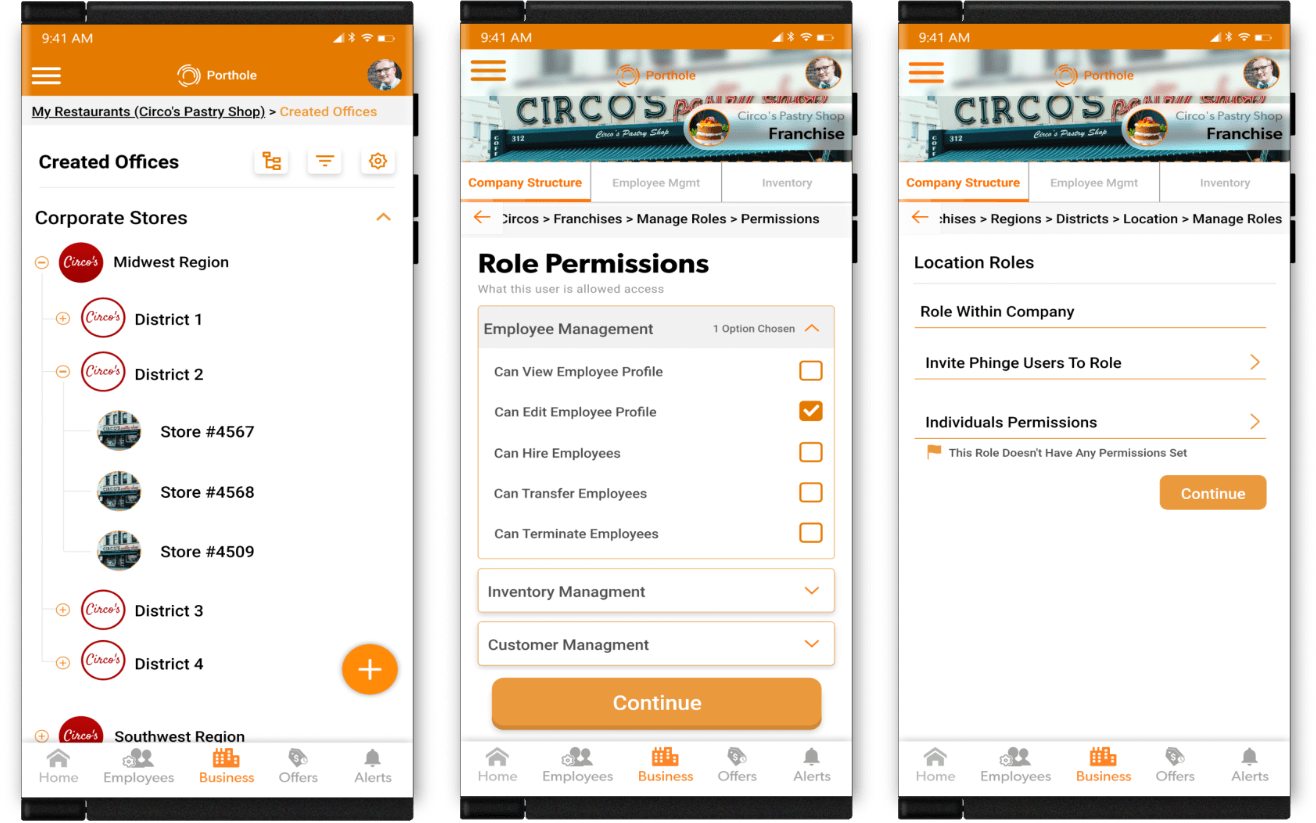
Create your corporate structure, whether a sole proprietor, corporation, franchisor, franchisee or other legal entity. Add all of your locations and assign to areas, regions, districts and more that you have created. Manage from one integrated dashboard.
Create Roles & Permissions
Create roles within your corporate structure and locations. Assign those roles permissions. Assign those roles and permissions to locations, managers and employees. Manage from the roles and permissions section in your dashboard.
Analytics
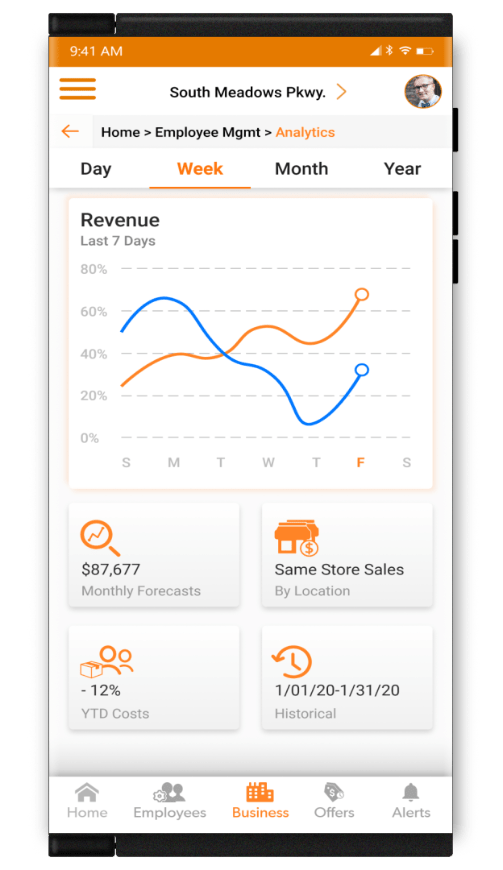
Manage your gross and net sales. See cost of goods on sales. Identify trendlines by products, locations, seasonality, running ads and more.
Compare individual same-store sales year over year or sales versus other locations.
Preview sales forecasts to schedule employees, inventory and vendors across all of your locations.
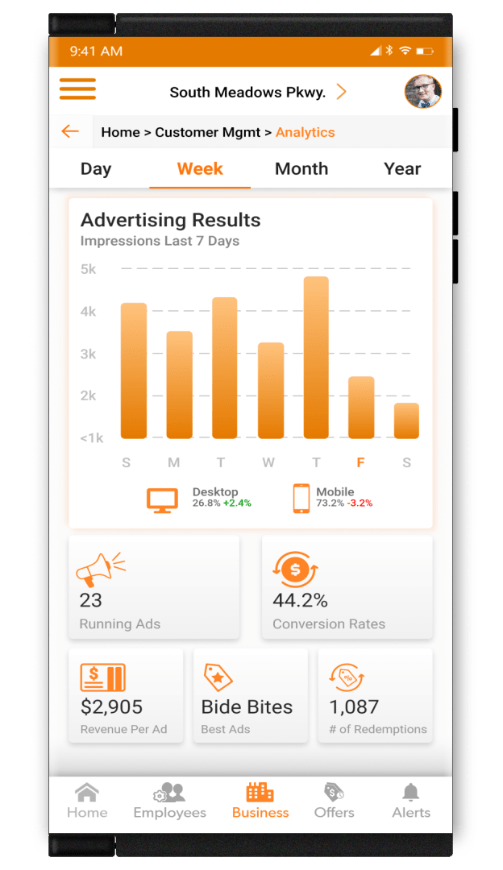
View and manage all your currently running ads across all Netverse approved platforms for all of your locations. Pause, edit or resume ads at anytime. View your previous ads.
Instantly create new ads, edit current and previous ads or re-run them again.
View what ads are producing the best results and the most sales. See the revenue per ad and the conversion success rates.
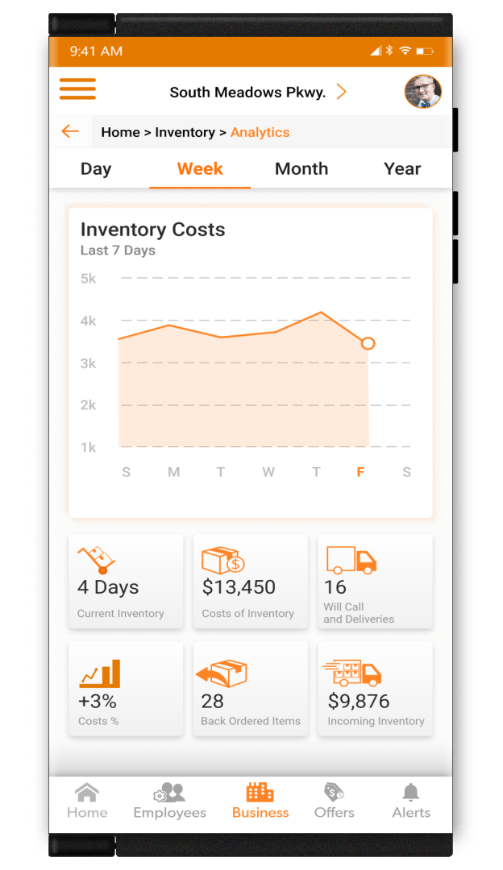
Analyze real-time inventory on hand for all your locations. View the total wholesale cost of inventory currently in-stock. Use that information to set retail prices for any or all of your locations or to seek out new cost efficient suppliers.
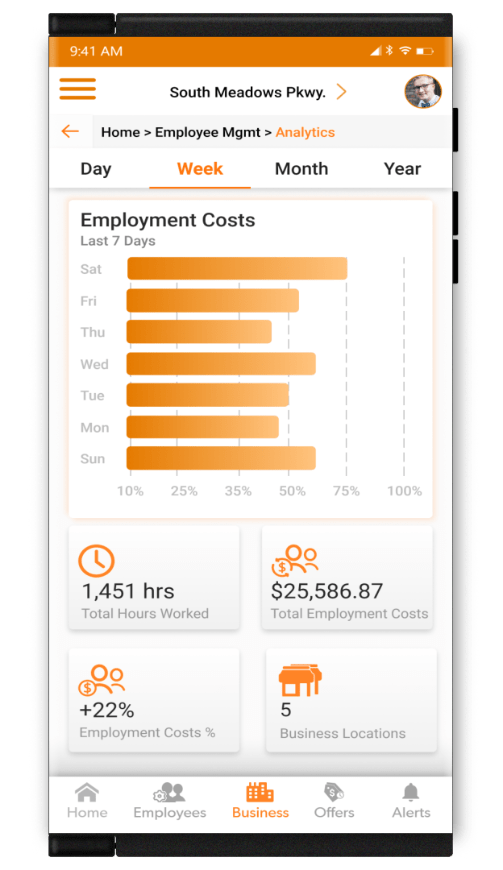
Analyze employee data, labor costs, hiring and training costs and more by one or more locations. View employee costs by position, shift, or day of week. Easily move employees to different positions, roles or even locations on a temporary or permanent basis.
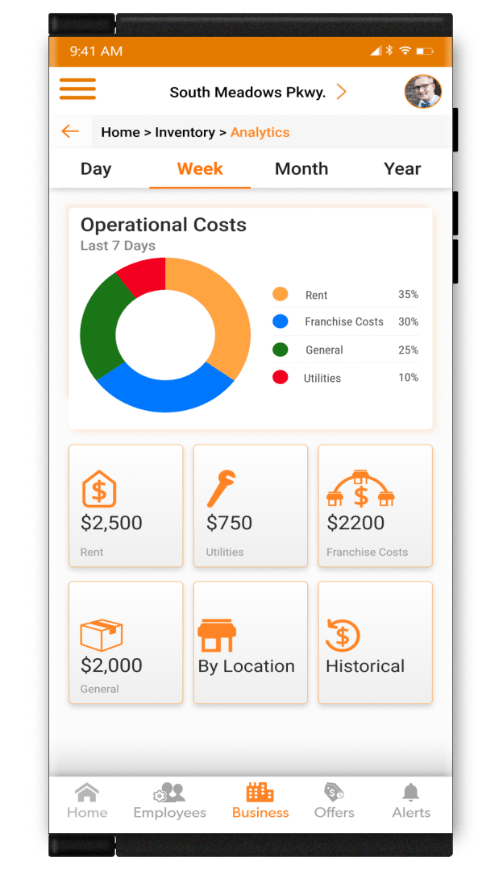
View and manager your operational cost across all of your locations.
See historical data for analysis and trendlines.
View data in easy to comprehend charts and graphs.
Create categories of expenses for easy tracking.
This is a great tool for franchisors who have franchisees and need to manager costs by multiple locations and ownerships.
Inventory
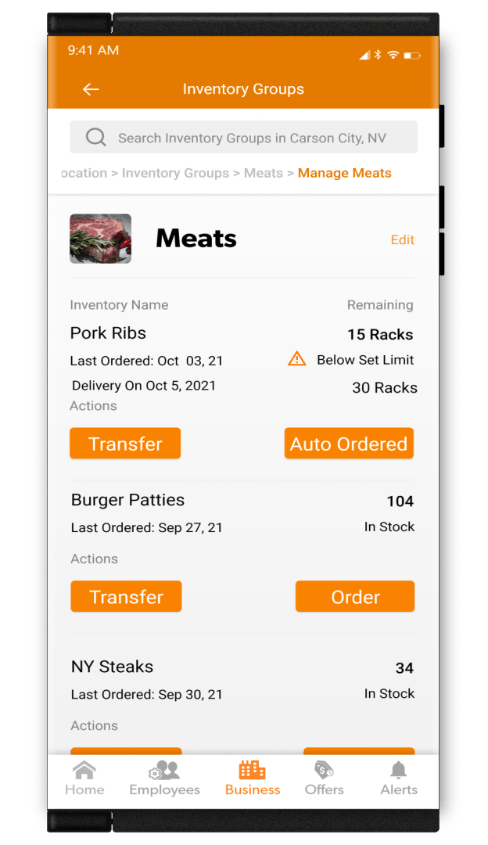
Set built-to conditions of inventory items and have those items automatically ordered and delivered prior to those items dropping below the preset in-stock level.
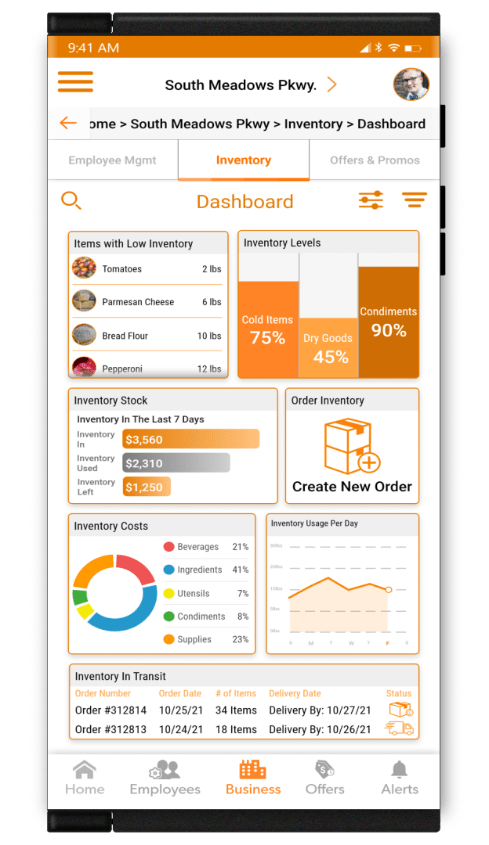
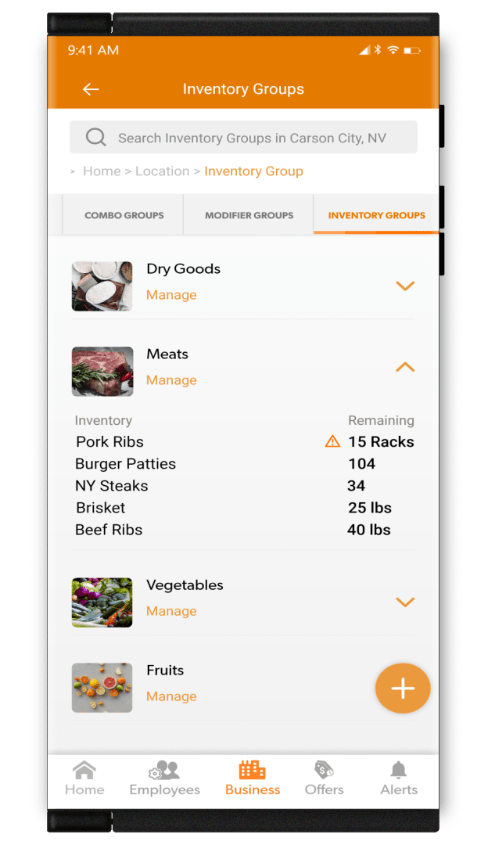
Manage all your inventory in one convenient dashboard, from in-stock to on-order, for any and all of your locations.
View real-time inventory on hand of all your locations. View the total wholesale cost of inventory currently in-stock. Use that information to trade inventory between locations or to order ahead from your suppliers.
Dynamic Pricing
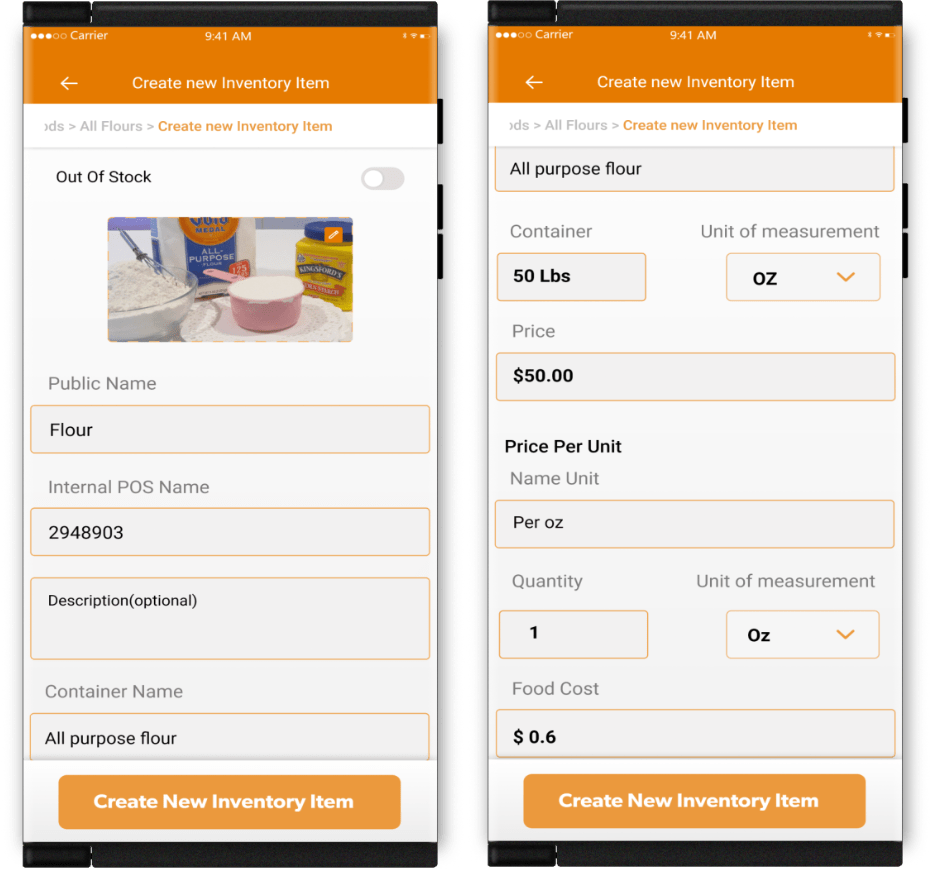
Add individual ingredients. Enter the price paid and the unit of measurement for that price. Then set the unit of measurement that you would like to use for adding ingredients to items.
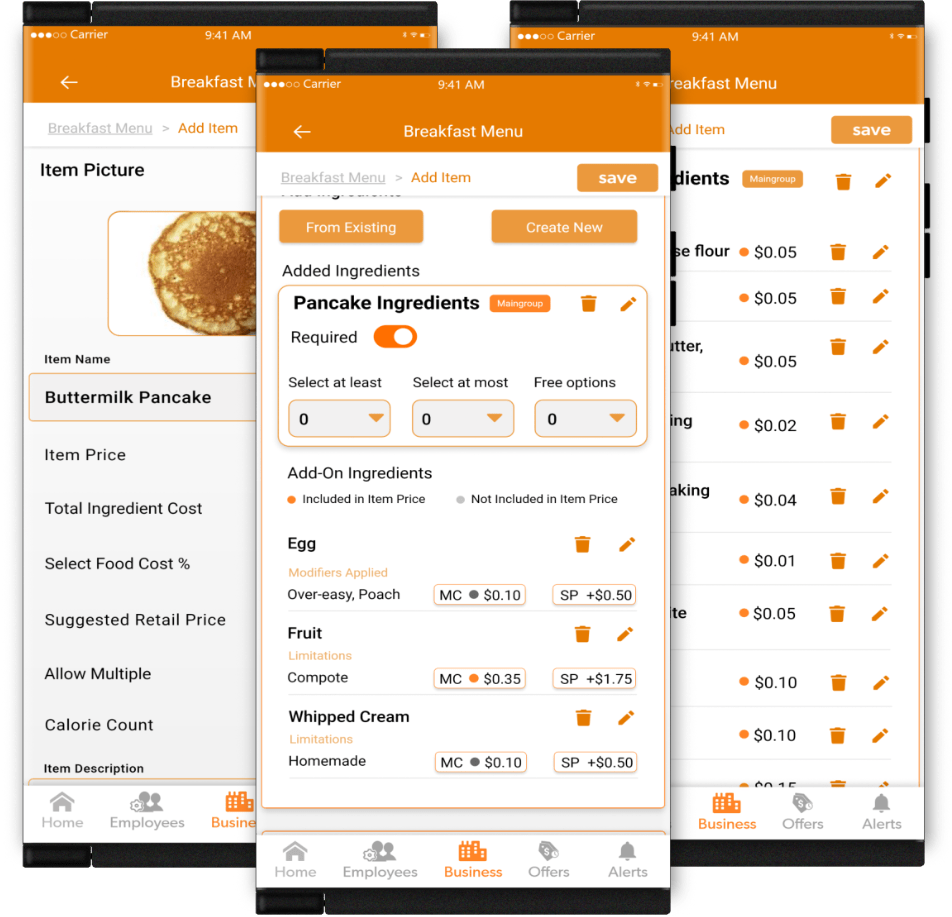
Create items by adding individual ingredients. Enter the quantity or unit amount of each ingredient using the measurement amount and the pre-set price.
Once all ingredients are added, you will be given the total wholesale cost of the ingredients needed to create the new item. Now set your food cost %.
You will be given a suggested retail price you could charge for your new item.
You may then accept that price or adjust it to your liking.
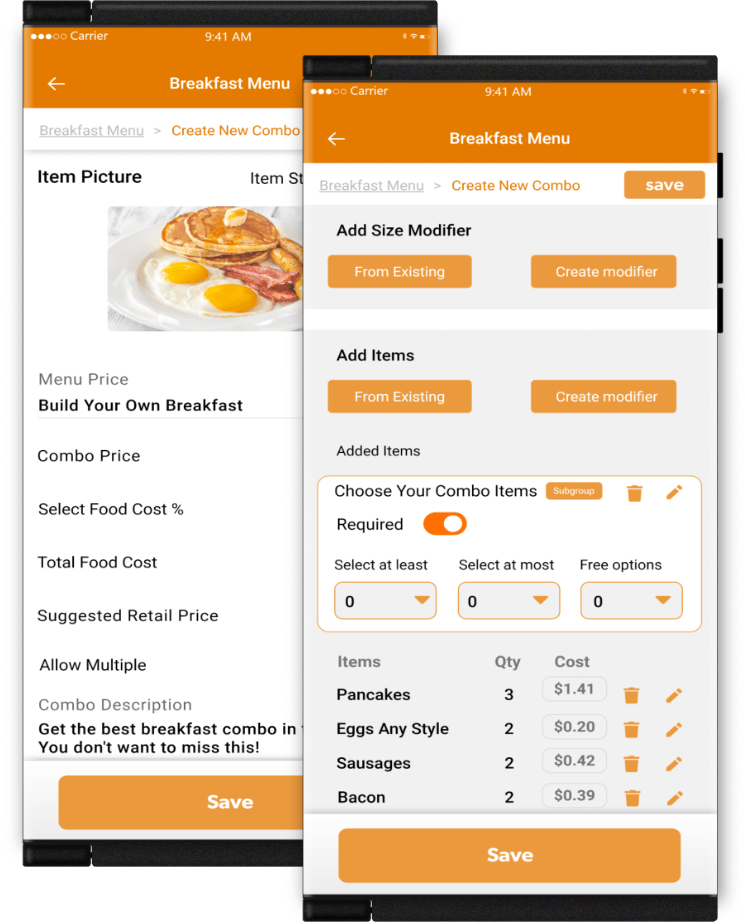
Create combos by adding individual items. Enter the quantity or unit amount of each item using the measurement amount and the pre-set price.
Once all items are added, you will be given the total wholesale cost of the items needed to create the new combo. Now set your food cost %.
You will be given a suggested reatil price you could charge for your new combo.
You may then accept that price or adjust it to your liking.
Team & Customers
Employee Management
Dashboard Integration
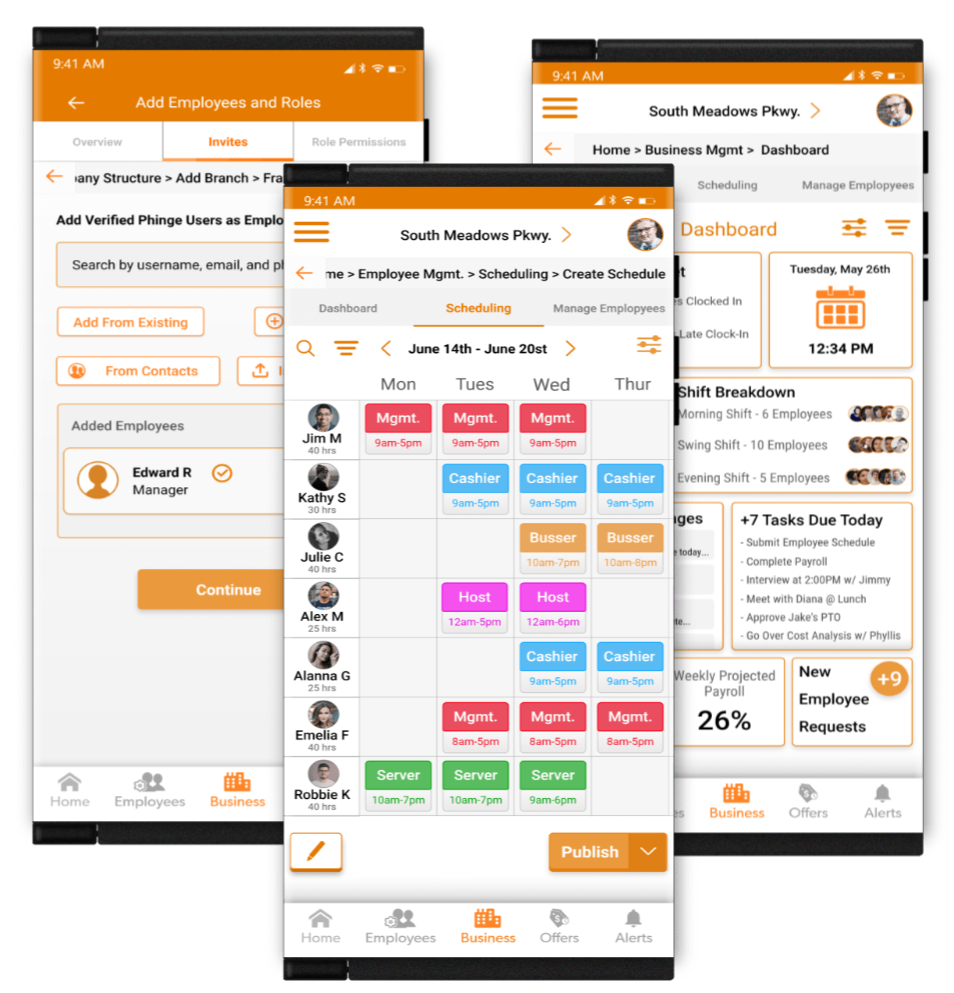
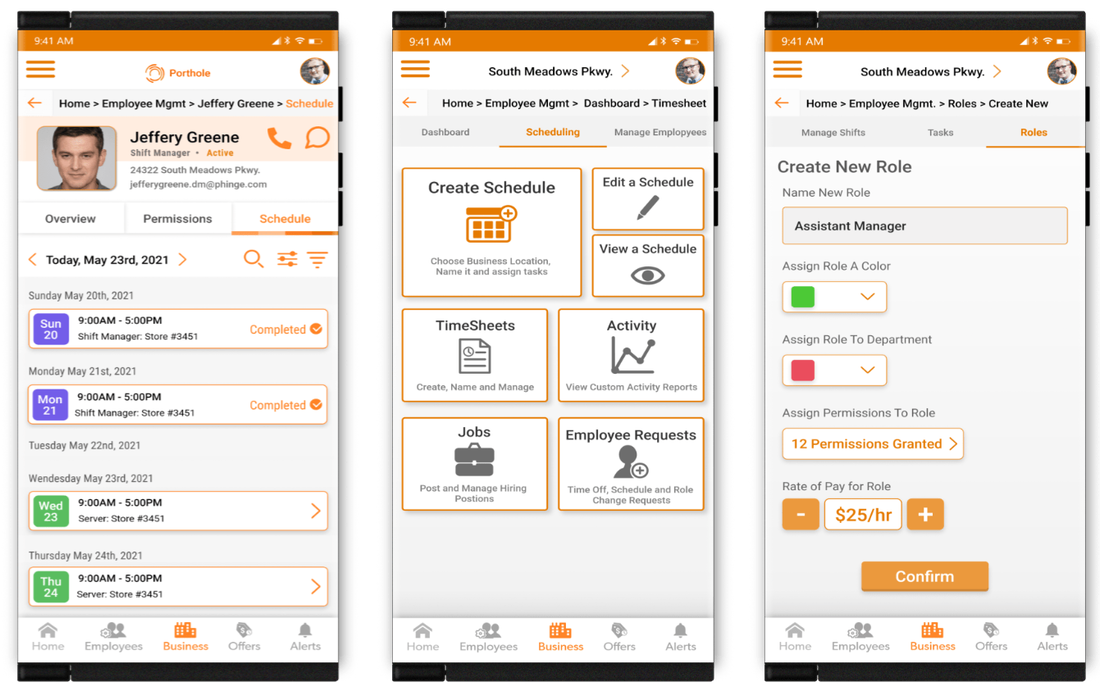
Manage employees, schedules, training and more by one or more locations. Assign roles and permissions. Easily move employees to different positions, roles or even locations on a temporary or permanent basis.
Permission Control
Create roles within your corporate structure and locations. Assign those roles permissions. Assign those roles and permissions to managers and employees. Manage from the roles and permissions section in your dashboard.
Calendars
Merchants can use Porthole calendars to create work schedules by viewing employees by location, shift, days of the week and more.
Employees can track their days off, work schedules and even view other.
Scheduling
With Porthole, scheduling is made easy. Easily duplicate, delete, edit, or move around shifts. Is next weeks schedule identical to this weeks? To save time simply duplicate the entire schedule and change what you need, easy as that.
Roles
Create and name roles within your business. Add wages to them. Assign them by individual job descriptions easily to one or more of your locations at once. Manage all your roles in one convenient place.
Jobs & Hiring
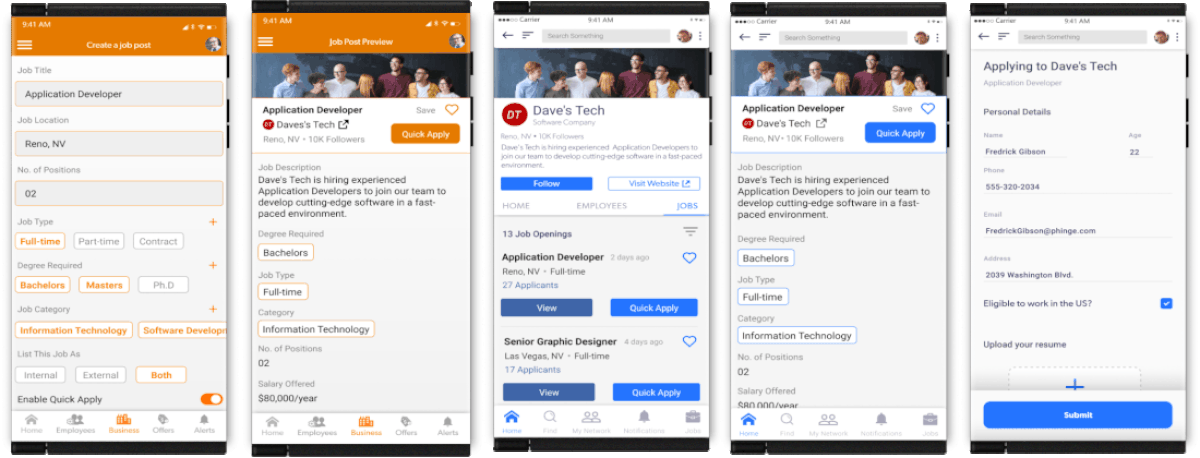
Post Job Openings
You may post job openings for internal or external viewing or both. Post your job listings to your employees on your Porthole companywide job board. You may also post it throughout Netverse, its platforms and its community.
Hiring & Management
Hire and manage applicants in one comprehensive and convenient dashboard. From application to hiring and training, Porthole will deliver a seamless process.
Customer Management
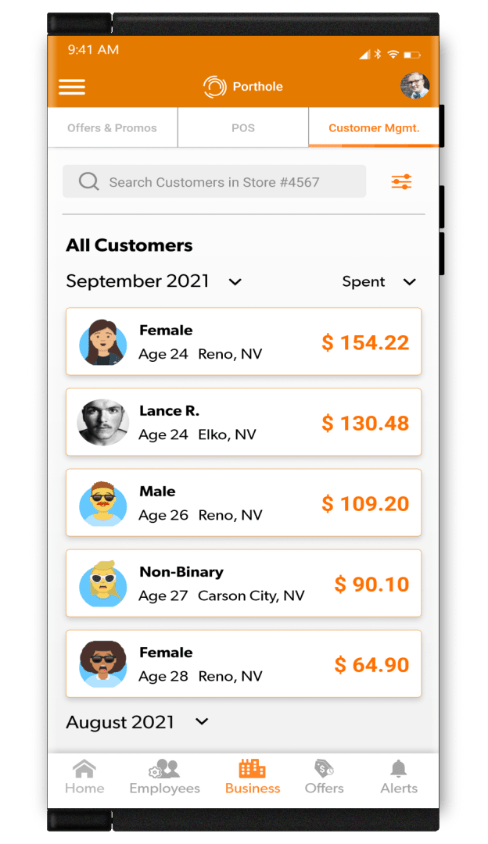
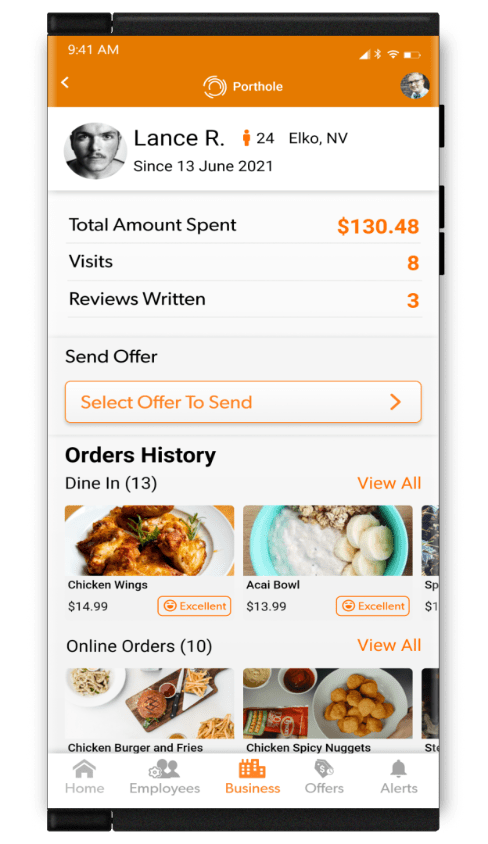
View your previous customers by age, gender, city and state, number of purchases, total amount spent and more. Phinge keeps all personal information of consumers private and confidential.
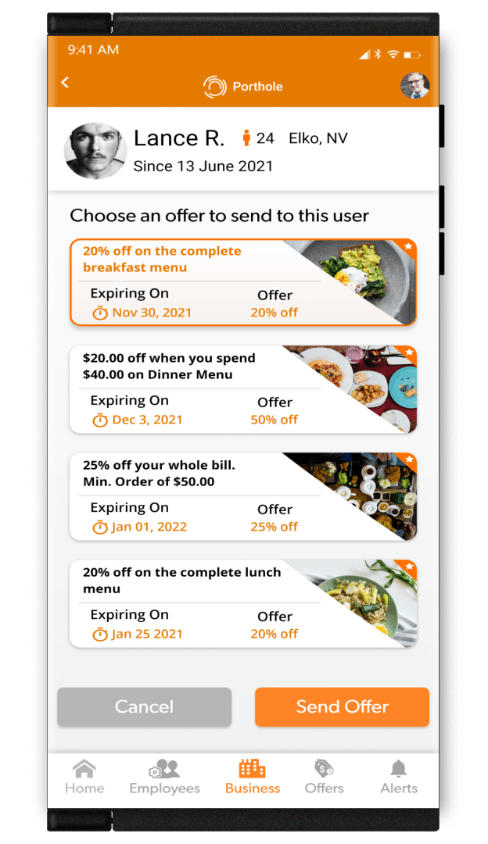
Offer past customers instant deals and specials to reward and incentivize them to return.
See an increase in sales from your customers redeeming your special, custom offers you sent to them.
By managing your loyal customers through Porthole, you can build brand loyalty and increase sales.
Dashboard, Delivery & Payments
Merchant Dashboard
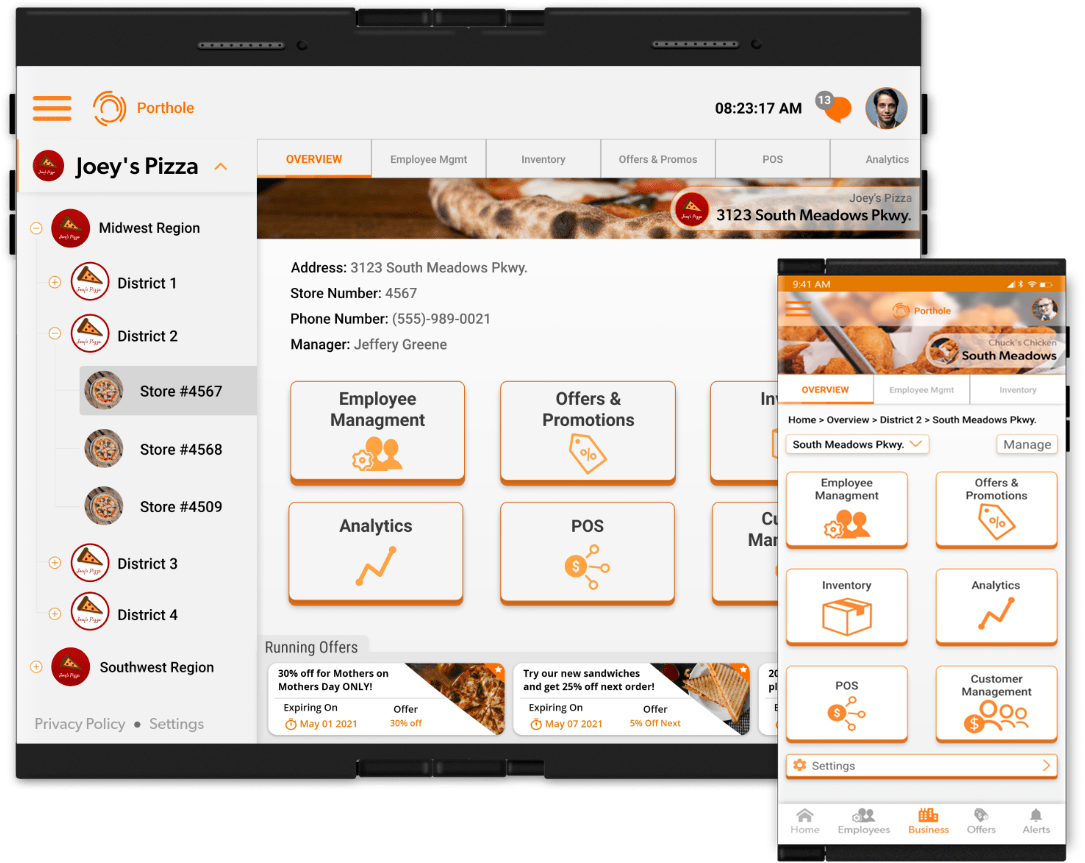
Manage your business from one convenient dashboard from any Netverse smartphone, tablet and POS system hardware. There will be many sub-dashboards available, including Customer Management, Employee Management, POS, Inventory, Offers, Analytics and much more.
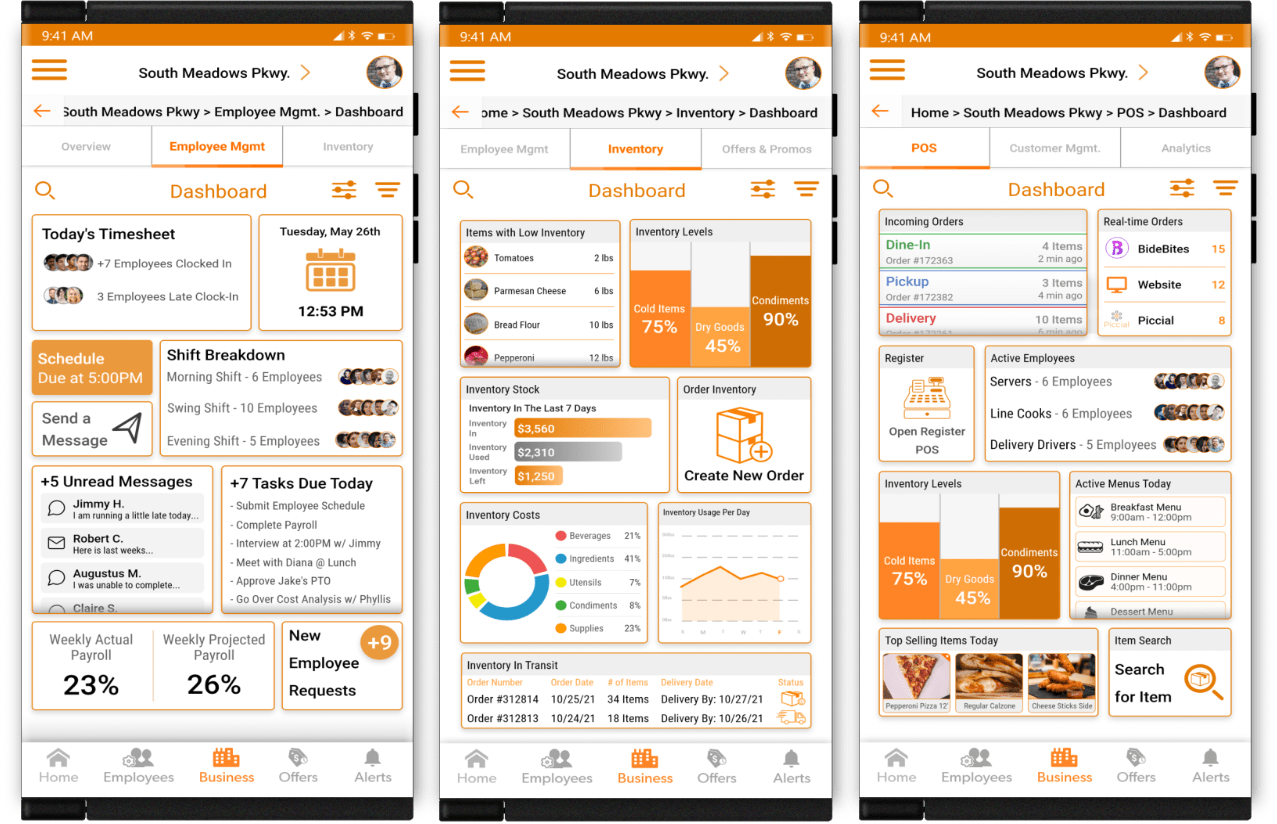
Manage your business through these comprehensive dashboards. Manage all your employees, inventory and orders from the convenient dashboards. View in-stock and ordered inventory as well as current food orders for dine-in, takeout or delivery from any or all of your locations. View and manage employees, schedules, training and more by one or more locations. Assign roles and permissions. Easily move employees to different positions, roles or even locations on a temporary or permanent basis.
Engage and promote your business to your previous customers. View customers aggregated, historical history with your business. Offer past loyal customers instant deals and specials to reward and thank them and incentivize them to return. By managing your loyal customers through your dashboard you can increase brand loyalty and increase sales and revenue.
Add Delivery to Any Business
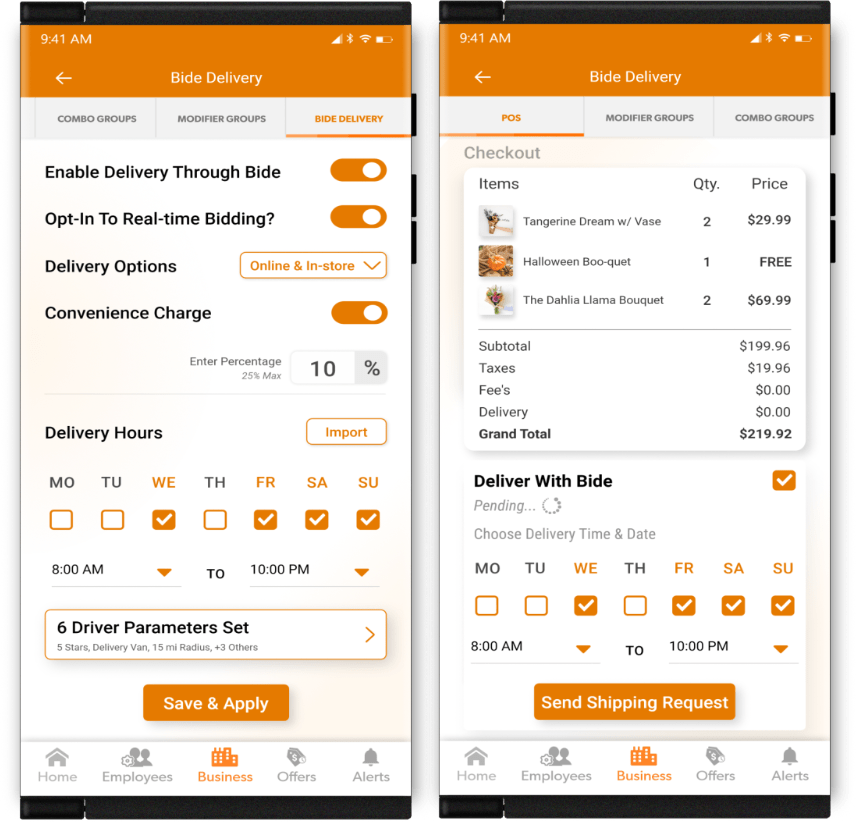
Any business will be able to add delivery to their customers through our partnership with Bide, the exclusive transportation provider of Phinge. You may add delivery to any or all of your locations at any time. There will be numerous delivery options available. From packages to individual items, to big orders and freight.
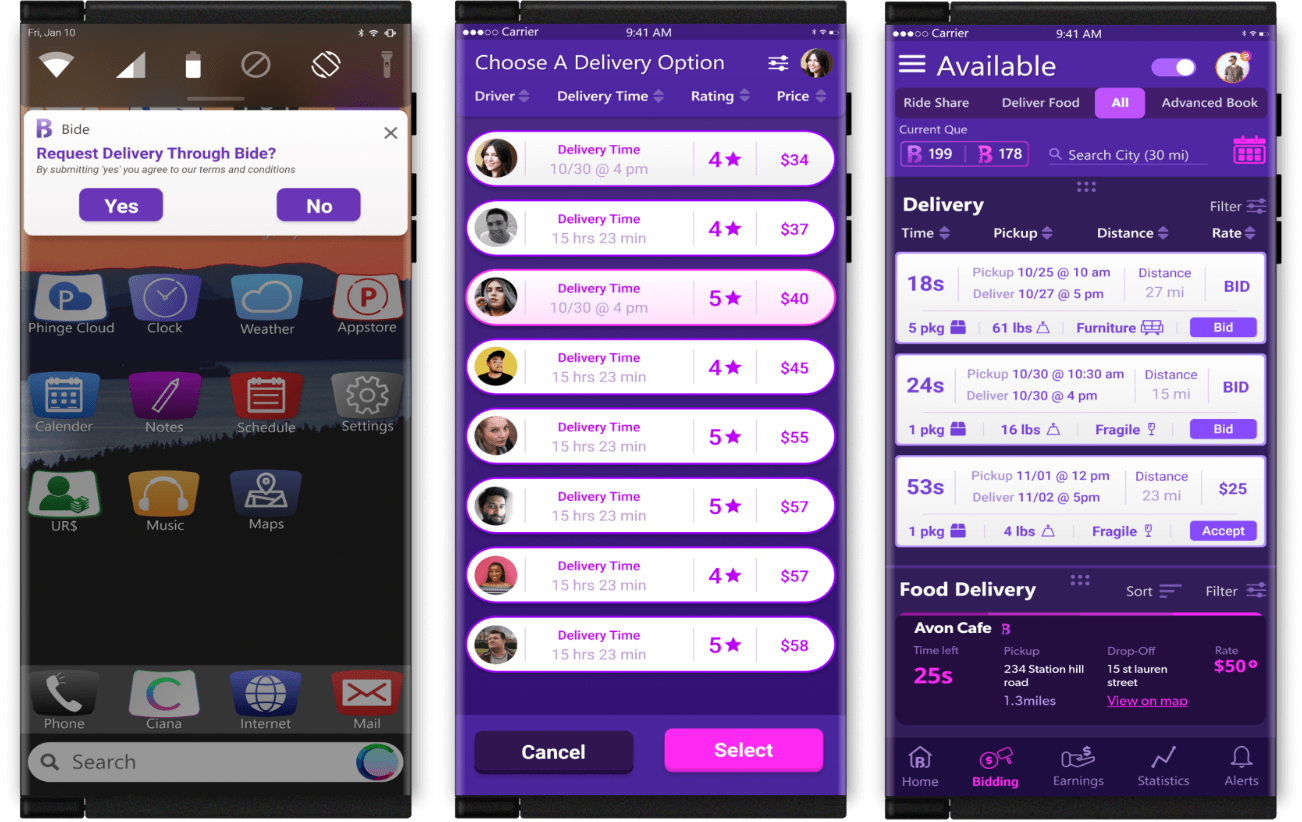
No need to go through the time, effort and cost of setting up your own delivery process. Through Porthole, you may simply request delivery for your business and instantly offer your customers set delivery pricing or offer them a real-time, bidding pricing model. Businesses that currently offer delivery can supplement their delivery availability. This is great for a surge in business.
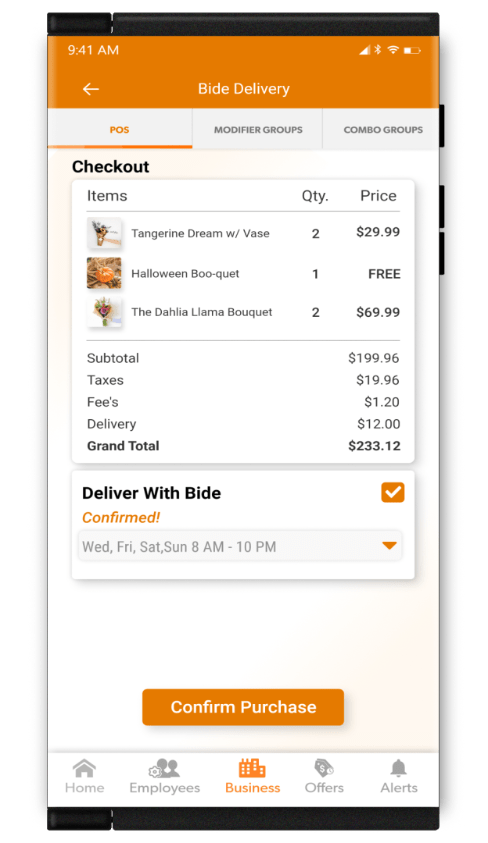
If a customer asks about delivery when they are purchasing your products, you may instantly request a bid through Porthole for delivery to them for their purchases. Quotes will come back in real-time. You inform your customer of the delivery cost and if accepted, charge the customer and have their items delivered to them. You may increase your revenue by adding a small convenience fee to each delivery.
Once delivery is confirmed, the shipment is on its way!
Delivery through Porthole is available anytime that Bide drivers are willing to accept job delivery request.Pause and resume delivery at instantly and at any time from any and all of your locations and online.
Manage All Of Your Deliveries
Manage all your deliveries
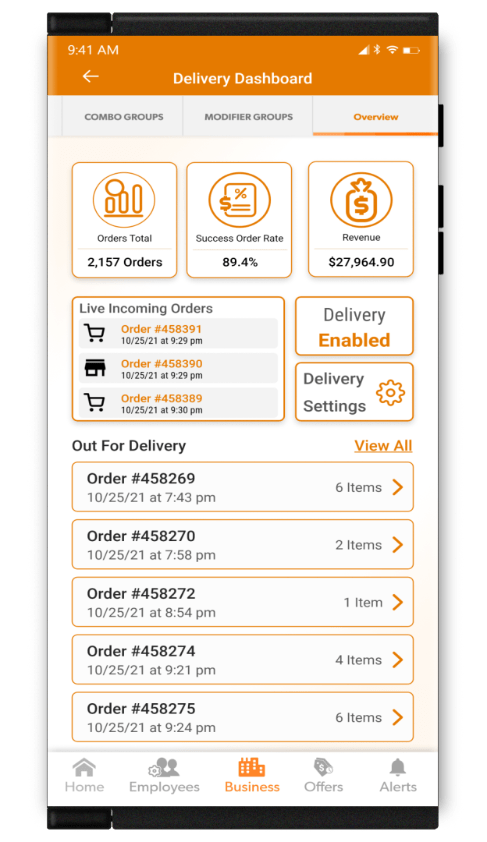
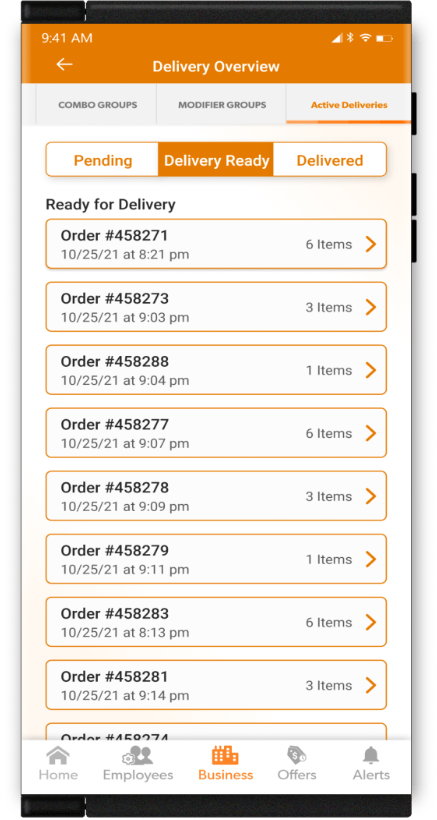
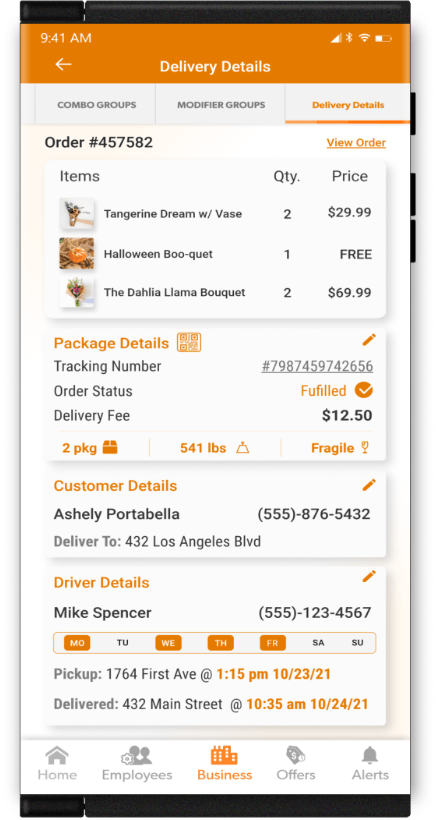
Manage all your, current, pending and fulfilled deliveries from the Porthole delivery dashboard. View new orders. Post orders that are ready to be sent out for delivery. Track orders out for delivery. View completed deliveries.
View Orders Ready for Delivery
Manage Completed Deliveries
PhingePay
Manage All of Your Sales From All Your Locations Through a Single Financial Platform
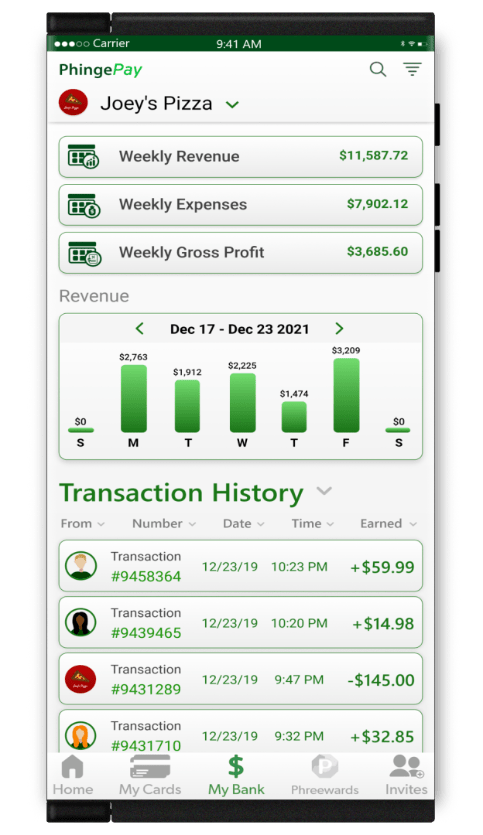
PhingePay will be the financial, banking, payment system and platform of Phinge. It will provide financial services to its users, merchants, businesses and Phinge platforms.
Merchants and businesses will be able to seamlessly and effortlessly manage both sales and transactions historical data across all Phinge platforms. Compare same-store sales or against other locations.
Access and track your available Netverse Rewards to use as incentives for your employees or for business and personal purchases. Spend, send or receive money or available Netverse Rewards.
View and manage purchases, transactions and Netverse Rewards History. Filter by platform, customers, friends and more. Add money or a credit or debit card. Manage all things financial on Netverse.
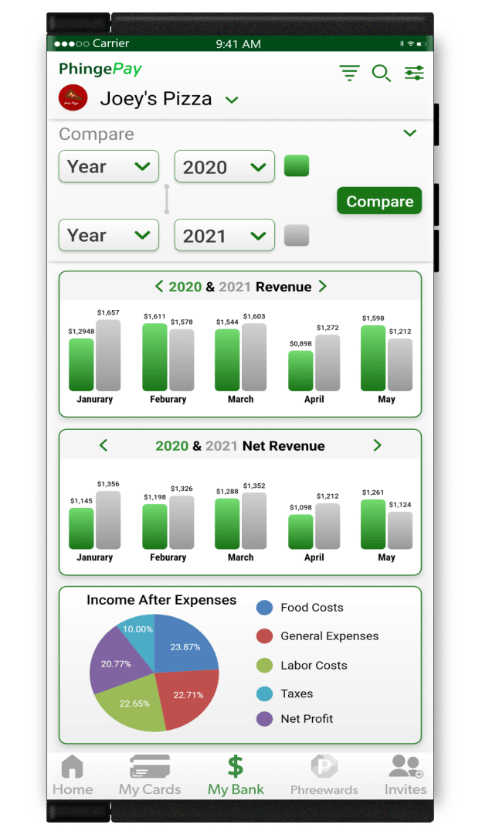
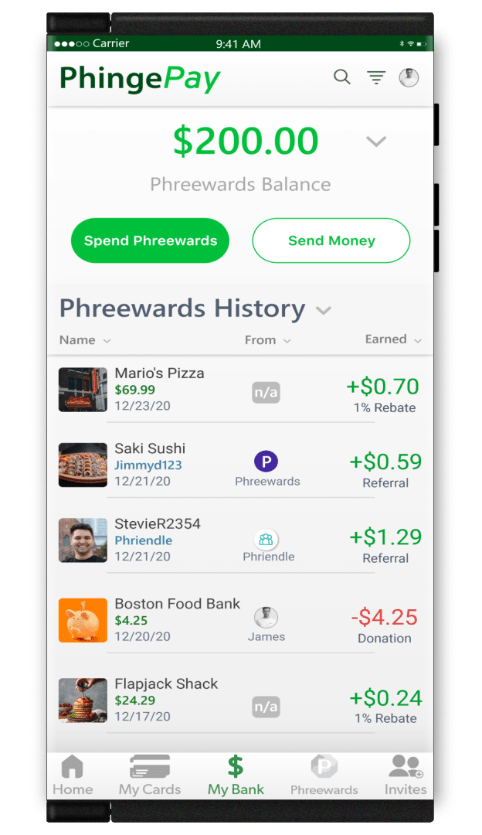
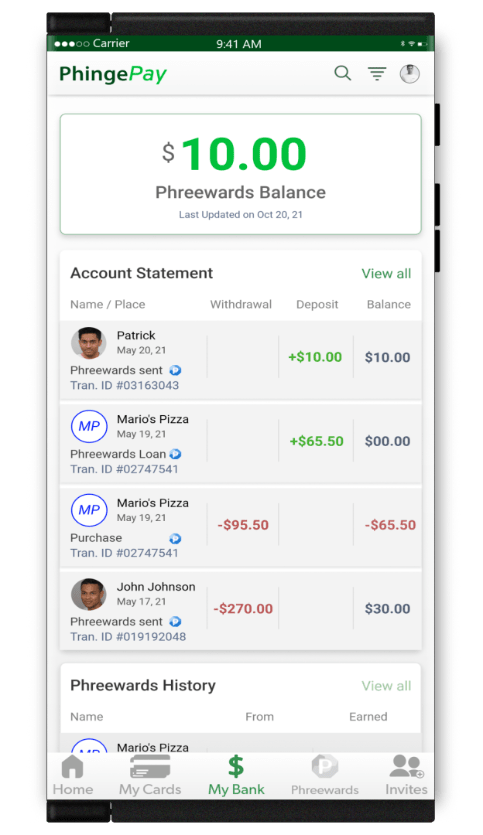
Platform Snapshots
Access Rewards, Reviews, Payments and Data
Porthole offers easy snapshot views of its platforms that will enhance your businesses success.
*Merchants only pay a small % of each sale to Phinge at the time of purchase through PhingePay by Netverse users.

JOIN NETVERSE
Your Data and Digital Sovereign Future Starts Here.
Sign up today, and get notified when Netverse goes live.